
 By Tsuky
Cloud gaming responsiveness is determined by a chain of operations, not a single network connection.
When a player presses a button, the input must reach the game server, be processed by the running game and ultimately produce a new video frame that returns to the display.
Microsoft is now experimenting with two ways to modify the beginning of that process.
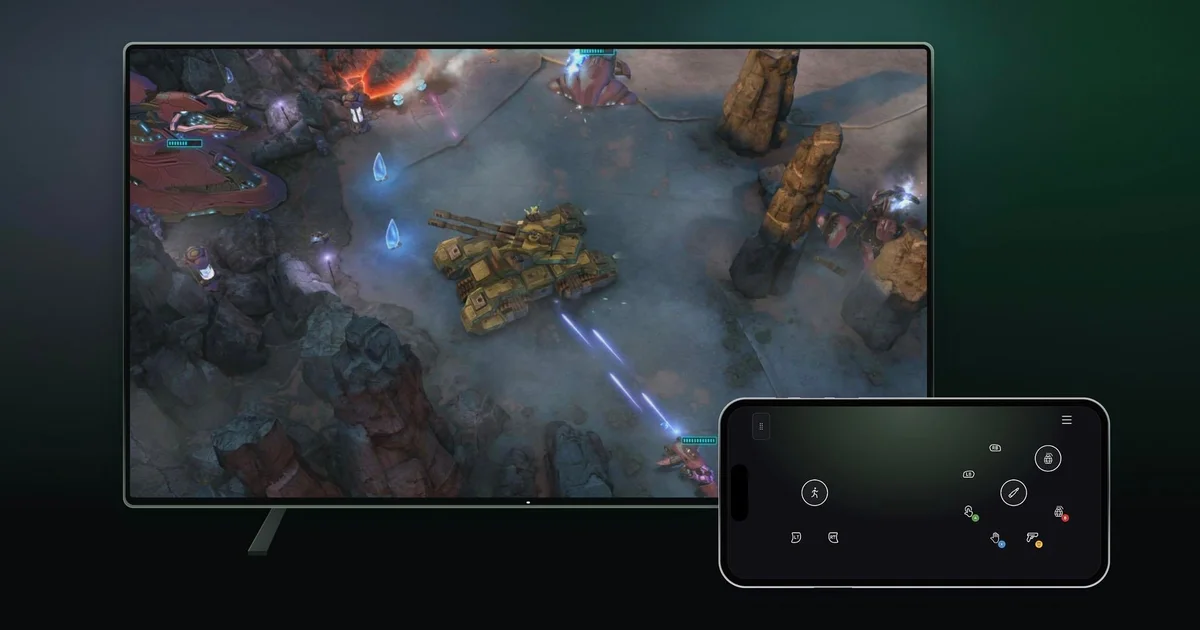
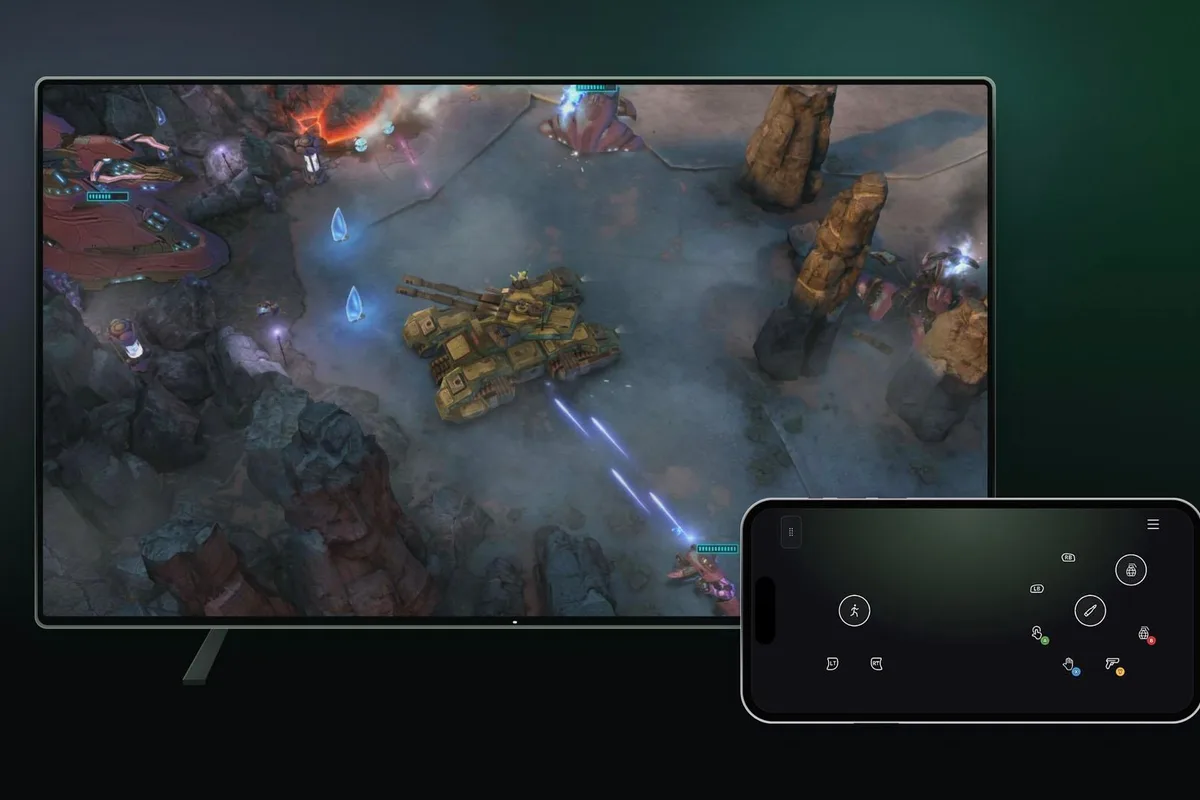
A smartphone can serve as a virtual controller for a supported television, reducing the need for dedicated hardware.
Meanwhile, the Xbox Nano Controller's new Cloud Connect feature uses Wi-Fi to send inputs directly toward the cloud gaming session instead of relying on an initial Bluetooth connection to the television.
The approaches may sound similar, but their goals are different.
Why controller latency is only part of the equation
In a conventional smart TV cloud gaming setup, a Bluetooth controller transmits its inputs to the television.
The streaming application then forwards that information through the internet to the server running the game.
After the game processes the input, the resulting video frame must be rendered, encoded, transmitted back to the television, decoded and displayed.
Each stage can contribute to the delay between a button press and the visible response.
Removing or shortening one stage can improve the total, but it does not eliminate the delays associated with the rest of the system.
That distinction is central to evaluating Microsoft's Cloud Connect announcement.
Cloud Connect changes the input route
Cloud Connect allows the Xbox Nano Controller to connect over Wi-Fi directly to a supported Xbox Cloud Gaming session.
The approach avoids using a Bluetooth connection to the television as the initial step in delivering inputs to the game.
In principle, removing that relay can reduce the amount of local processing and transmission involved.
However, the performance improvement cannot be determined from the connection architecture alone.
Wi-Fi conditions, local interference, internet latency, server location and the cloud gaming service's processing pipeline still affect overall responsiveness.
A direct controller connection does not make the return video stream faster by itself.
Microsoft says Cloud Connect may help games feel more responsive, but the November 4 announcement does not include a published latency benchmark or a measured comparison with Bluetooth.
No reliable millisecond improvement can therefore be assigned to the new feature based solely on the available announcement.
The technology is not yet widely available
Cloud Connect is initially restricted to users in the United States with the Xbox Nano Controller.
The preview supports selected smart TV and web-based Xbox Cloud Gaming experiences, rather than every supported device and title.
Setup requires the Xbox beta application on Android or the Xbox Accessories application on PC.
Players using the PC setup method must participate in Xbox Insider.
After associating the Nano Controller with a local Wi-Fi network, users sign into a supported cloud gaming session using the same Xbox account.
The controller can then establish its Cloud Connect connection.
This functionality is separate from the controller's standard Xbox Wireless and Bluetooth support.
Buying the hardware in another country does not automatically unlock the US-only preview.
Phone controls prioritize convenience instead
The smartphone controller preview is intended for players without a physical gamepad available.
On supported smart TVs, a player can enable Preview Features in the Xbox Cloud Gaming account settings.
When launching a compatible game without a connected controller, the television can offer a QR code for pairing a phone.
The virtual gamepad then appears in the smartphone's browser.
Microsoft says no dedicated phone controller app is necessary.
That is a practical advantage because the interface uses software already present on modern Android and iOS devices.
It also introduces familiar touchscreen limitations.
Without physical buttons, players lose tactile references and may need to glance down to confirm the position of certain controls.
The space available for virtual inputs depends on the phone's screen dimensions and layout.
Microsoft says some games will have tailored control schemes, an approach that may reduce these usability problems for selected titles.
The company has not demonstrated that touchscreen input can match dedicated gamepads across every type of game.
Different approaches to reducing hardware friction
Xbox Cloud Gaming already makes it possible to play on compatible televisions without owning a local Xbox console.
That removes one major piece of dedicated hardware, but controllers and network conditions remain important.
A phone-based controller can remove the need for an additional accessory in selected circumstances.
Cloud Connect does the opposite in one sense: it relies on specialized hardware, but attempts to optimize the input path for that hardware.
The resulting experiences are likely to appeal to different users.
Occasional players may prioritize immediate access and the convenience of using a device they already own.
More demanding players may value familiar physical controls and the possibility of lower input latency.
Neither feature changes the fundamental requirements of video streaming, including adequate network quality and support for the games being played.
Availability remains an important limitation
The phone controller is rolling out on supported televisions in countries where Xbox Cloud Gaming operates.
Cloud Connect remains restricted to a US preview.
Microsoft warns that device and game compatibility may be limited during both tests.
It has not published a general availability timetable for either feature.
The company is collecting feedback from preview participants to inform future changes.
As a result, the existence of these previews should not be interpreted as a permanent, platform-wide rollout.
What would demonstrate a real performance improvement?
A useful evaluation of Cloud Connect would compare Bluetooth and Wi-Fi direct input under controlled network conditions.
The same game, local connection and display setup would need to be tested while measuring the delay from controller input to the resulting on-screen response.
Average latency would matter, but so would variations between successive inputs.
Consistent responsiveness can be as important to perceived control quality as a small improvement in the average.
Local Wi-Fi interference and internet performance would also need to be taken into account before attributing any result entirely to the controller's connection method.
For now, Microsoft has confirmed the architecture and availability of an experimental feature, not a universally measurable performance gain.
Cloud Connect is therefore a promising technical direction rather than an established latency breakthrough. Its usefulness will ultimately depend on performance measurements and broader device support.