
 By Kilam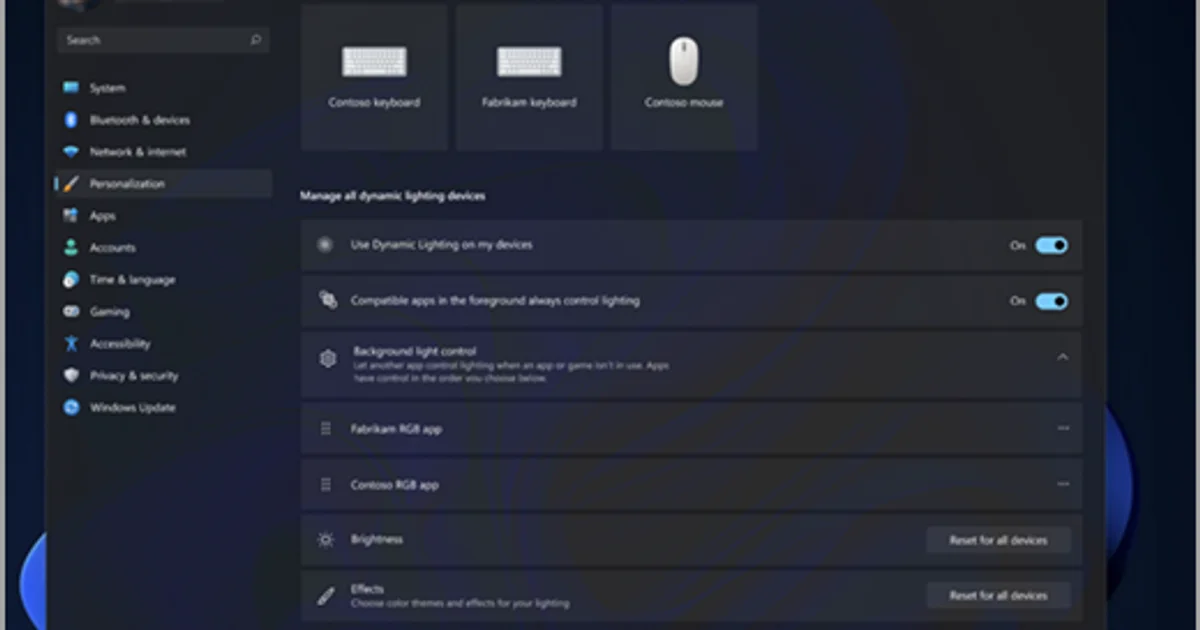
The issue appeared after KB5121003
Microsoft has added the problem to the official known-issues list for security update KB5121003, released on August 11 for Windows 11 versions 24H2 and 25H2.
Affected users can experience several symptoms when launching certain games: the application may stop responding, close without warning, display an EXCEPTION_ACCESS_VIOLATION error or cause the entire PC to restart unexpectedly.
Microsoft currently names three games among the reports it has received: ARC Raiders, MARVEL Tōkon: Fighting Souls and THE FINALS.
That does not necessarily mean those are the only titles that can be affected. They are simply the games Microsoft explicitly identifies in its current investigation.
The LEDs themselves are not the culprit
Obviously, the physical RGB LEDs are not crashing Windows. The issue lies in software components used by some RGB-capable peripherals and internal devices.
Microsoft says these products may install drivers or software components with file names similar to inpoutx64.
Software of this type can provide low-level access to hardware registers or ports so applications can control features that are not always exposed through standard Windows interfaces.
That kind of privileged hardware access can become problematic when an operating-system update changes system behavior or the protections surrounding those components.
An RGB utility can have far more access than it looks like
A modern gaming PC can contain a surprising number of applications controlling lighting: motherboard utilities, case software, fan controllers, keyboards, mice, RGB memory and third-party tools attempting to synchronize hardware from multiple vendors.
To the user, these programs often look like simple interfaces for choosing blue instead of purple. Underneath, however, some of them install background services and drivers capable of communicating directly with hardware.
The current issue highlights a recurring problem in PC gaming. A purely cosmetic feature can add a software layer deep enough inside Windows to affect the stability of the entire machine.
Microsoft is describing an interaction, not blaming a specific brand
Microsoft has not publicly identified any particular RGB hardware manufacturer as responsible for the issue.
Its official wording remains deliberately broad. The company refers to certain peripherals or internal device components supporting RGB lighting that may install software components similar to inpoutx64.
It would therefore be premature to assume that software such as Armoury Crate, iCUE, Synapse, Mystic Light or SignalRGB is directly responsible simply because it controls RGB lighting. Microsoft currently provides no such vendor list.
The distinction matters: some RGB-associated software configurations are involved, not RGB lighting itself.
Windows already has its own RGB system
The situation is somewhat ironic because Microsoft has spent several years promoting Dynamic Lighting, its native RGB-control system for Windows 11.
Dynamic Lighting uses the HID LampArray standard and allows Windows to control compatible keyboards, mice and other illuminated devices directly without always requiring proprietary vendor software.
Microsoft's stated goal was to reduce fragmentation in the RGB ecosystem and let users coordinate hardware from different manufacturers through a single Windows interface.
The current bug demonstrates why that simplification can matter beyond convenience. Fewer proprietary applications installing their own low-level drivers can also mean fewer components capable of interacting unexpectedly with the operating system.
There is no official fix yet
Microsoft says it is still investigating the interaction between the RGB-related components and affected games.
The KB5121003 support page currently provides neither a definitive fix nor a universal workaround for the issue.
Microsoft is asking affected users to submit reports through Feedback Hub to help identify the configurations involved.
Until more details are available, broad fixes should be treated carefully. Randomly uninstalling every RGB utility or manually deleting a system driver without knowing which application depends on it could cause more problems than it solves.
Turning off RGB may finally have a measurable gaming benefit
PC players have joked for years that RGB improves performance. For some systems running KB5121003, disabling or more accurately removing the problematic software component may now be the difference between playing a game and failing to reach its main menu.
Jokes aside, the incident is another reminder that PC stability depends on much more than Windows, the graphics driver and the game itself. Small utilities bundled with hardware can sometimes receive a surprising level of system access compared with the relatively simple feature they provide.
And when software designed to make three case fans glow can contribute to rebooting an entire PC, the problem stops being decorative rather quickly.