
 By Tsuky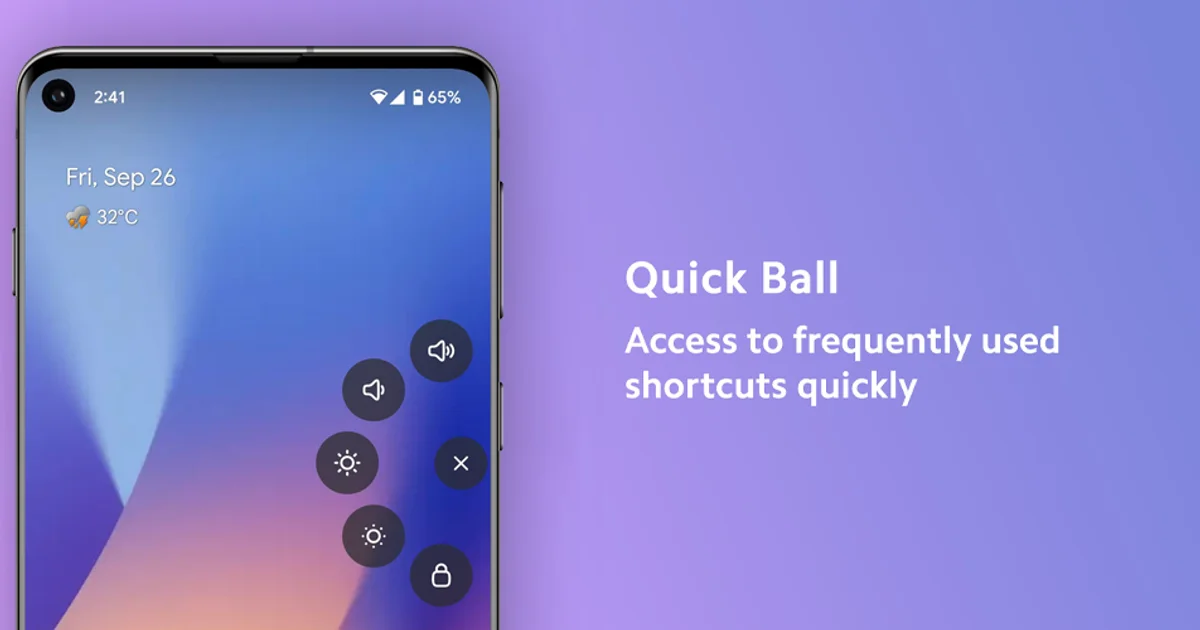
A visible target can beat a clever gesture
Quick Ball sits above other apps as a movable floating control that snaps to the edge of the screen. Opening it reveals five shortcuts that can trigger apps or system functions including volume controls, brightness, screenshots and screen locking.
That sounds close to Samsung's Edge Panel, but the interaction is different. The tab remains visible instead of relying on a narrow hidden swipe target.
WhistleOut selected Quick Ball as one of its September Android recommendations after roughly a month of daily use on a Galaxy Z Fold5, specifically praising how much easier the control was to grab through a phone case.
The app has been changing quickly
Version 5.0.0 in August moved the interface to Jetpack Compose, improved animations and expanded customization. Version 5.1.0 added interactive volume and brightness controls plus adjustable menu radius.
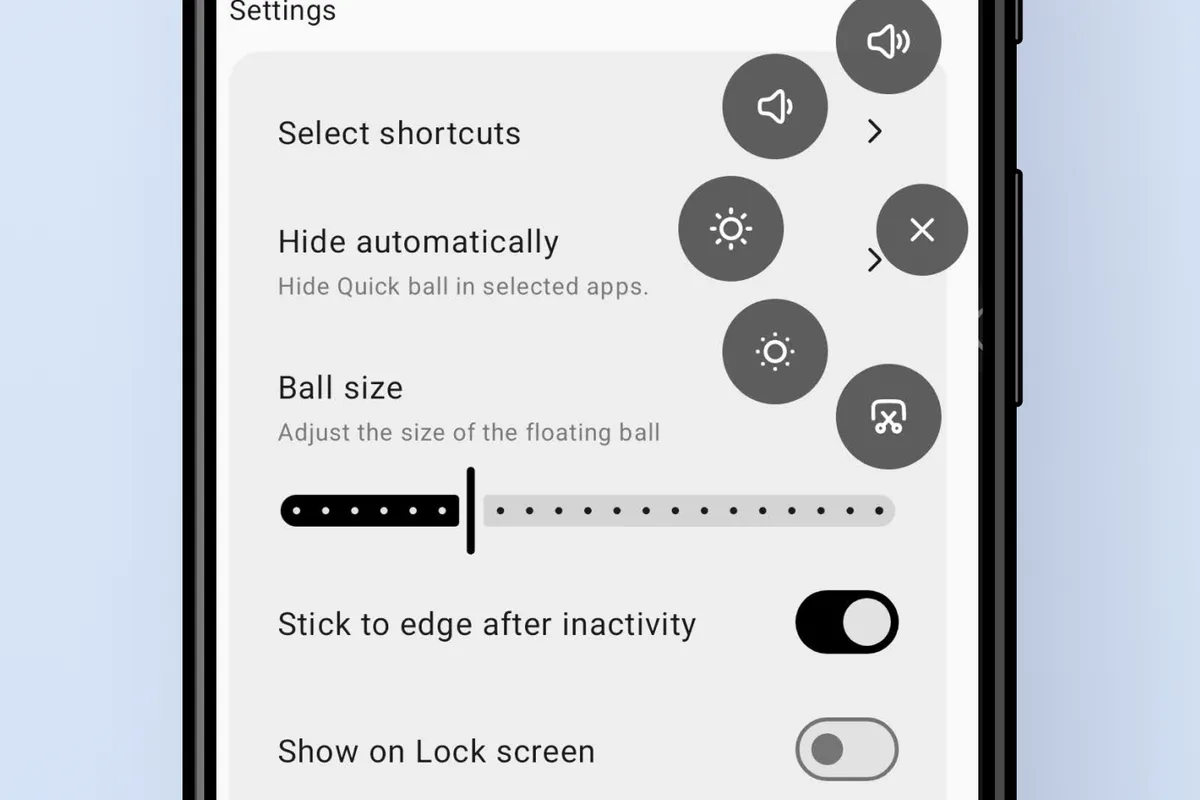
The current 5.2.0 release adds position locking, gestures on the floating ball, synchronized flashlight and brightness states, and new dynamic feedback icons.
The control can also be resized, dragged around the display and configured to hide automatically in selected situations.
Accessibility access is the important caveat
Quick Ball needs more authority than an ordinary launcher icon because it performs system-level actions. Its Google Play listing explicitly says Accessibility and Modify System Settings permissions are required for the floating controls and brightness management.
The project's documentation also references Device Admin access for screen locking, while F-Droid lists permissions corresponding to additional system shortcuts such as Do Not Disturb and connectivity controls.
Those requests make functional sense, but Android's Accessibility service is powerful. Users should understand why an app needs it before granting access rather than treating the permission screen as routine setup.
Its source code is public
Quick Ball is published under the GPL-3.0 license, with its source available on GitHub and builds distributed through F-Droid as well as Google Play.
Google Play currently shows more than 50,000 downloads. Its Data safety section says the developer declares no collection of user data and no sharing with third parties.
The developer makes the same claim in the project's documentation, stating that the permissions are used for Quick Ball's system actions rather than for monitoring or storing personal information.
That is useful transparency, but it remains a developer declaration rather than a substitute for a dedicated independent security audit.
A 1.5MB utility that still supports Android 5
F-Droid lists the current package at roughly 1.5MB and supports Android 5.0 or newer. The app is free.
That makes the utility relevant beyond current flagships. A floating volume or lock control can also be useful on an older device with worn physical buttons, and some public Play Store reviews describe using it for exactly that reason.
On a Samsung phone, it can replace an Edge Panel somebody never quite liked. On other Android devices, it adds a similar idea without waiting for the manufacturer.
There are more ambitious apps. Five reliable shortcuts may be more useful.